915 prices collected today 5 countries · 2 merchants tracked No merchant pays for its ranking
How we rank Our method
Skip to content

Buying guide: how to choose a motherboard

A motherboard is chosen primarily on its connectivity, its storage slots and its maximum memory, since these capacities set the limits for future upgrades. Price follows these characteristics rather than the other way around.
What to check
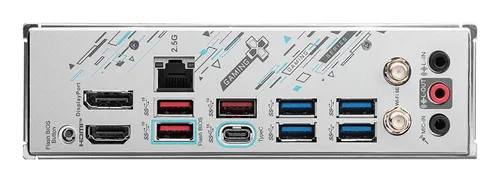
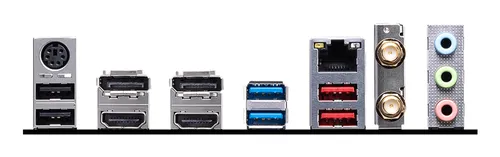
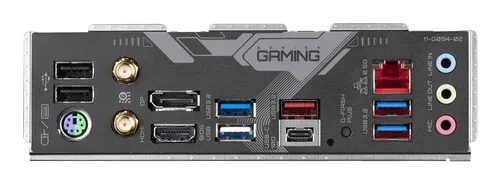
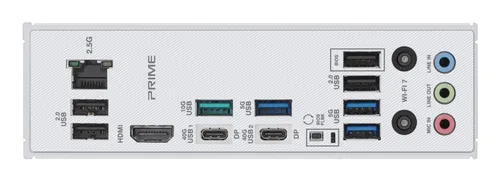
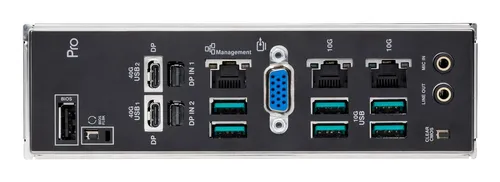
Fast USB ports This criterion counts the number of fast USB ports available at the back of the board, the ones used to connect external drives, memory cards or demanding peripherals. The higher this number, the more high speed devices can be connected without relying on a hub. Across the market sample, the most limited boards offer only one port, the median sits at two, and the best equipped reach six. The site score places each board on this scale: a high score signals a rear panel generous in fast ports. Market median: 2
Storage connectors This criterion measures the number of connectors available for traditional storage drives. It determines how many hard drives or standard SSDs can coexist inside the machine, which matters for anyone wanting to separate system and data or simply add capacity. Market figures range from two connectors on the least equipped boards to six on the best, with a median of four. A high score indicates a board that accepts more drives at once, an advantage for evolving storage setups. Market median: 4
Maximum memory This criterion shows the maximum amount of memory the board can hold, a physical limit that no software update can exceed. It shapes how far the machine can grow for memory intensive tasks, whether heavy multitasking or professional software. The most limited boards cap at sixty four gigabytes, while the median and the best positioned reach two hundred fifty six gigabytes. A high score signals a board that leaves a wide margin for future needs without short term constraints. Market median: 256 GB
M.2 slots This criterion counts the slots dedicated to fast M.2 drives, which attach directly to the board without cables and offer higher speeds than traditional drives. The more there are, the more fast drives can be installed for the system, games or large files. The market sample ranges from a single slot on the simplest boards to five on the best equipped, with a median of two. A high score reflects a board generous in M.2 slots, useful for anyone betting on storage speed. Market median: 2
Installation and compatibility Before buying, check that the board’s form factor matches the intended case and that the socket fits the processor already owned or planned. Once these points are confirmed, installation involves fixing the board, connecting power, front panel cables and drives, then installing the drivers needed for every component to work correctly. Simple maintenance, such as regularly dusting heatsinks and checking connections, extends the reliability of the whole system over time.

Benchmarks based on 30 recent market listings, collected on 2 October 2026.

What you get for each budget

Under €150

At this level, boards generally offer more modest connectivity and fewer M.2 slots, enough for everyday use without ambitious expansion plans.

€150 to €270

This tier typically broadens connectivity, the number of storage connectors and M.2 slots, striking a balance between capabilities and budget.

Over €270

Beyond that, boards most often concentrate the best scores in connectivity, storage and M.2 slots, suited to the most expandable builds.

Frequent mistakes

Choosing a board without checking that its form factor matches the intended case.
Overlooking the number of M.2 slots while fast storage becomes standard for everyday use.
Forgetting to check the maximum supported memory before planning a future upgrade.
Comparing boards on price alone without looking at actual connectivity or storage slots.

Models in this category

Best rated first, among those our merchants offer.