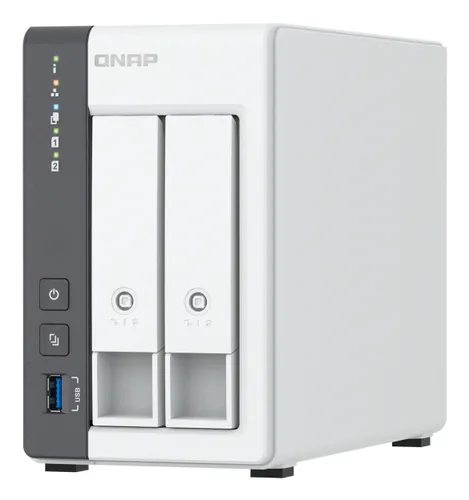
NAS drives QNAP
QNAP TS-216G NAS/storage server Tower Cortex-A Cortex-A55 4 GB 0 TB White
Relevance for this use: 51/100
When you seek a NAS drive to centralise and back up photos, videos and documents for the whole family, your priorities differ from professional use. The emphasis falls on the volume of data to preserve and the purchase price, as performance needs remain modest for occasional file access. A reliable and affordable system suffices entirely for this domestic context.
Technical criteria like processor power or multiple network ports become secondary, while the number of drive bays grows decisive to anticipate the growth of your archives. This approach delivers an economical device whilst guaranteeing sufficient scalability to accommodate several years of digital memories without compromising data security.
The same criteria as on the category page, but not the same weight: here is what goes up and what goes down.
Budget forms the primary criterion for family use that generates no revenue. An affordable NAS drive meets home backup needs perfectly without requiring advanced features. Accessible models already offer all the reliability necessary to protect your personal files against hardware failures or accidental deletions.
Processing power matters less in this context where access remains occasional and infrequent. A processor with two cores already ensures photo transfers or document browsing without noticeable slowdown. Sixteen-core processors reserved for professional applications represent a pointless investment for a family that does not launch simultaneous complex tasks.
Memory mainly influences professional applications and multiple access sessions. For family use with a few occasional users, four gigabytes suffice widely to guarantee convenient response times when retrieving files. Configurations of one hundred and twenty-eight gigabytes far exceed what simple personal data backup requires.
The number of drive bays becomes essential to anticipate the accumulation of photos and videos over the years. With eight median slots, you can install new drives progressively without replacing the entire system. This scalability guarantees that your initial investment remains relevant even as your digital library grows, whilst allowing redundant configurations to protect your memories.
One or two network ports suffice amply in a household where the NAS drive connects to a simple home router. The six ports of premium models serve businesses that multiply redundant connections or aggregate throughput. To browse files occasionally from a few family devices, a single port fulfils its function perfectly without perceptible limitation.
The features pushed in this category that make no difference in this context.
Advanced multicore processors
High processing power answers virtualisation or real-time video transcoding needs. To simply store and retrieve personal files, these capabilities remain unexploited and needlessly inflate the bill. A basic processor already ensures smooth transfers for domestic use.
Oversized memory
Configurations far exceeding thirty-two gigabytes target environments where dozens of users access data simultaneously. In a family setting with a few devices connected occasionally, this surplus capacity provides no tangible benefit and increases the purchase price without valid reason.
Multiple network ports
Multiplying Ethernet connections serves to aggregate throughput or create redundancies for sustained professional flows. A family browsing photos or retrieving documents from their home network never solicits several simultaneous links. A single port covers needs widely without creating a bottleneck.
Orders of magnitude, not displayed prices: a price only appears on Kalyneo once it has been collected from a merchant, with its collection date.
Under €200
Models under two hundred euros offer two to four bays and basic configuration, perfect to start family backup without significant investment.
€200 to €500
Between two hundred and five hundred euros, you find drives with six or eight bays and sufficient memory to expand your storage over the years.
Over €500
Beyond five hundred euros, devices propose numerous bays but professional performance superfluous for simple home backup use.
Ranked by relevance for this specific case, not by their overall score.
NAS drives QNAP
Relevance for this use: 51/100
A product only enters this list if it meets every one of these points. Its relevance is rated for this specific use, independently of its overall score in the category.