Monitors iiyama
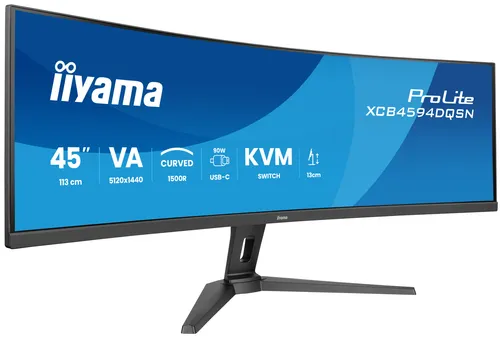
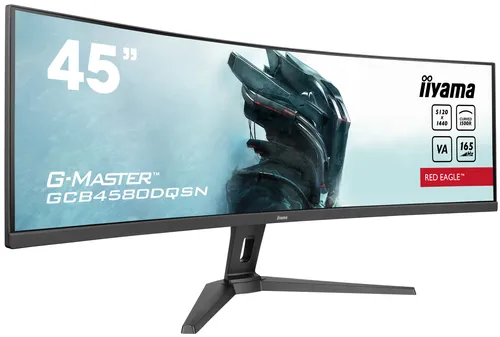
iiyama G-MASTER RED EAGLE CURVED computer monitor 113 cm (44.5") 5120 x 1440 pixels Dual QHD LED Black
Relevance for this use: 84/100
Editing photos or working on visuals calls for a screen able to render faithful tones and stay readable whatever the light in the room. Here, image quality clearly outweighs display speed, unlike a setup geared towards gaming.
This situation shifts the balance: colours and brightness matter more, while smoothness and responsiveness, built for fast on screen motion, take a back seat. Screen size still matters for comfortable work, but it is not the deciding factor.
The same criteria as on the category page, but not the same weight: here is what goes up and what goes down.
A comfortable diagonal helps view a layout or framing as a whole, but it counts a little less here than image quality itself. Benchmarks range from twenty one point five inches to thirty four inches, with a median of twenty seven inches.
Refresh rate mainly helps follow fast on screen motion, which is not the point of still image work, so this criterion weighs much less here. Benchmarks range from seventy five hertz to two hundred forty hertz, with a median of one hundred hertz.
The number of displayable colours becomes one of the most important criteria, since it determines how faithfully tones appear on screen. Benchmarks are tightly clustered, from sixteen point seven million to sixteen point seven eight million, with the median matching the lower mark.
Good typical brightness lets you judge image nuances without being hindered by room light: this is the criterion that rises the most here. Benchmarks range from two hundred fifty to four hundred fifty candelas per square metre, with a median of three hundred.
Response time, where lower is better, mainly matters for fast on screen motion, so it counts less here than a criterion tied to the image itself. Benchmarks range from eight milliseconds to one millisecond, with a median of four milliseconds.
Budget matters slightly more than usual, since there is no point paying for speed features of little use for this work: spending is better directed towards image quality than display speed.
The features pushed in this category that make no difference in this context.
A high refresh rate
Still image work gains nothing from a high refresh rate: that budget is better spent on image quality.
An extremely short response time
Fast pixel switching mainly serves content that moves quickly on screen, which is not the case for an editing or design setup.
An extreme diagonal
A very large, costly diagonal brings less to this work than faithful colours and good brightness.
Orders of magnitude, not displayed prices: a price only appears on Kalyneo once it has been collected from a merchant, with its collection date.
Under €110
Under €110: this level finds a decent monitor for occasional use, but colour fidelity and brightness remain limited.
€110 to €300
€110 to €300: this range opens up better balanced monitors between colours, brightness and comfortable size, suited to regular editing work.
Over €300
Over €300: beyond this, monitors show colour and brightness benchmarks close to the best recorded on the market, for demanding image work.
Ranked by relevance for this specific case, not by their overall score.
Monitors iiyama
Relevance for this use: 84/100
Monitors iiyama
Relevance for this use: 84/100
Monitors ASUS
Relevance for this use: 78/100
Monitors ASUS
Relevance for this use: 78/100
Monitors Corsair
Relevance for this use: 77/100
Monitors ASUS
Relevance for this use: 76/100
Monitors HP
Relevance for this use: 76/100
Monitors AOC
Relevance for this use: 75/100
Monitors AOC
Relevance for this use: 75/100
Monitors AOC
Relevance for this use: 75/100
Monitors Samsung
Relevance for this use: 75/100
Monitors AOC
Relevance for this use: 73/100
A product only enters this list if it meets every one of these points. Its relevance is rated for this specific use, independently of its overall score in the category.