Wi-Fi extenders TP-Link
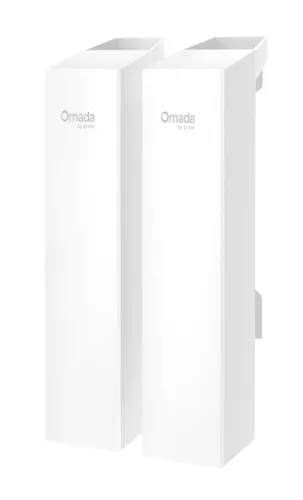
TP-Link Omada 5GHz 867Mbps Long-Range Indoor/Outdoor Wireless Bridge
Relevance for this use: 78/100
Working a few days a week from the bedroom or converted study requires a reliable connection, not necessarily very fast. Video calls, document sharing and collaboration tools work properly with modest speeds, provided the link remains stable and wired equipment finds its connection.
This setup prioritises Ethernet ports to connect printer, landline phone or docking station without saturating the airwaves, and contains costs since the installation only serves a few hours weekly. Average speed amply suffices for typical office tasks.
The same criteria as on the category page, but not the same weight: here is what goes up and what goes down.
Budget takes on increased importance for part-time equipment. Investing heavily in an extender that only operates two or three days weekly lacks economic coherence. Affordable models fulfil their mission perfectly as long as needs remain limited to standard professional exchanges. Seeking the best ratio between purchase cost and services rendered guides the choice towards efficient devices without superfluous sophistication.
Speed retains its usefulness but loses prominence against light office tasks. Market benchmarks show that eight hundred sixty-seven megabits per second, recorded among the least powerful across twenty-four listings, greatly exceeds the requirements of video calls and office file transfers. The median at two thousand five hundred megabits per second offers a comfortable margin without justifying the race to six thousand five hundred megabits reserved for heavily solicited environments.
Ethernet ports gain decisive importance for connecting printer, docking station or landline phone without mobilising wireless bandwidth. Benchmarks across thirty listings reveal a median at one port and a maximum at three ports among the best equipped. Having two or three wired network sockets avoids additional adapters and guarantees stable connections to professional peripherals, reducing risks of interruption during urgent calls or printing.
The features pushed in this category that make no difference in this context.
Recent Wi-Fi standards
Latest generations of wireless protocols multiply costs without bringing noticeable improvement to routine office tasks. Earlier versions already ensure smooth flow of standard professional exchanges.
High maximum speeds
Paying for several thousand megabits per second exceeds the actual needs of occasional remote work. Video calls and document transfers consume a fraction of these theoretical capacities.
Mesh functions
Mesh network systems coordinate multiple access points across large areas. A home office makes do with a single extender, rendering this coordination unnecessarily complex and expensive.
Orders of magnitude, not displayed prices: a price only appears on Kalyneo once it has been collected from a merchant, with its collection date.
Under €25
Under twenty-five euros provides a basic extender with one Ethernet port, sufficient to stabilise the office link without extreme speed pretension.
€25 to €60
Twenty-five to sixty euros brings two network ports and comfortable speed for simultaneous office tasks, with increased reliability.
Over €60
Over sixty euros finances equipment with oversized capabilities for occasional remote work, where advanced functions remain underused.
Ranked by relevance for this specific case, not by their overall score.
Wi-Fi extenders TP-Link
Relevance for this use: 78/100
A product only enters this list if it meets every one of these points. Its relevance is rated for this specific use, independently of its overall score in the category.